
Web3 API
Redesigning team management for 300+ teams with roles and permissions.

Web3 API
Redesigning team management for 300+ teams with roles and permissions.
Web3 API
Redesigning team management for 300+ teams with roles and permissions.
Year
Year
2024
2024
Role
Role
product designer
product designer
Platforms
Platforms
Desktop, mobile
Desktop, mobile
Domain
Domain
B2C, B2B
B2C, B2B
Contribution
Contribution
UX strategy
prototyping
UI design
UX strategy
prototyping
UI design
Web3 API is Ankr’s leading developer platform, enabling over 8 billion monthly requests across multiple blockchain networks. It offers a single dashboard for managing connections, usage analytics, and performance insights.
Web3 API is Ankr’s leading developer platform, enabling over 8 billion monthly requests across multiple blockchain networks. It offers a single dashboard for managing connections, usage analytics, and performance insights.
TL;DR
TL;DR
Problem
The dashboard was designed for individual users, with no way for teams to collaborate, manage access, or share resources.
solution
Introduced team-based collaboration with role-based permissions, simplified team creation, and asset transfers between personal and team accounts.
impact
~20% month-over-month growth in new team creation during the first months after launch.
context
context
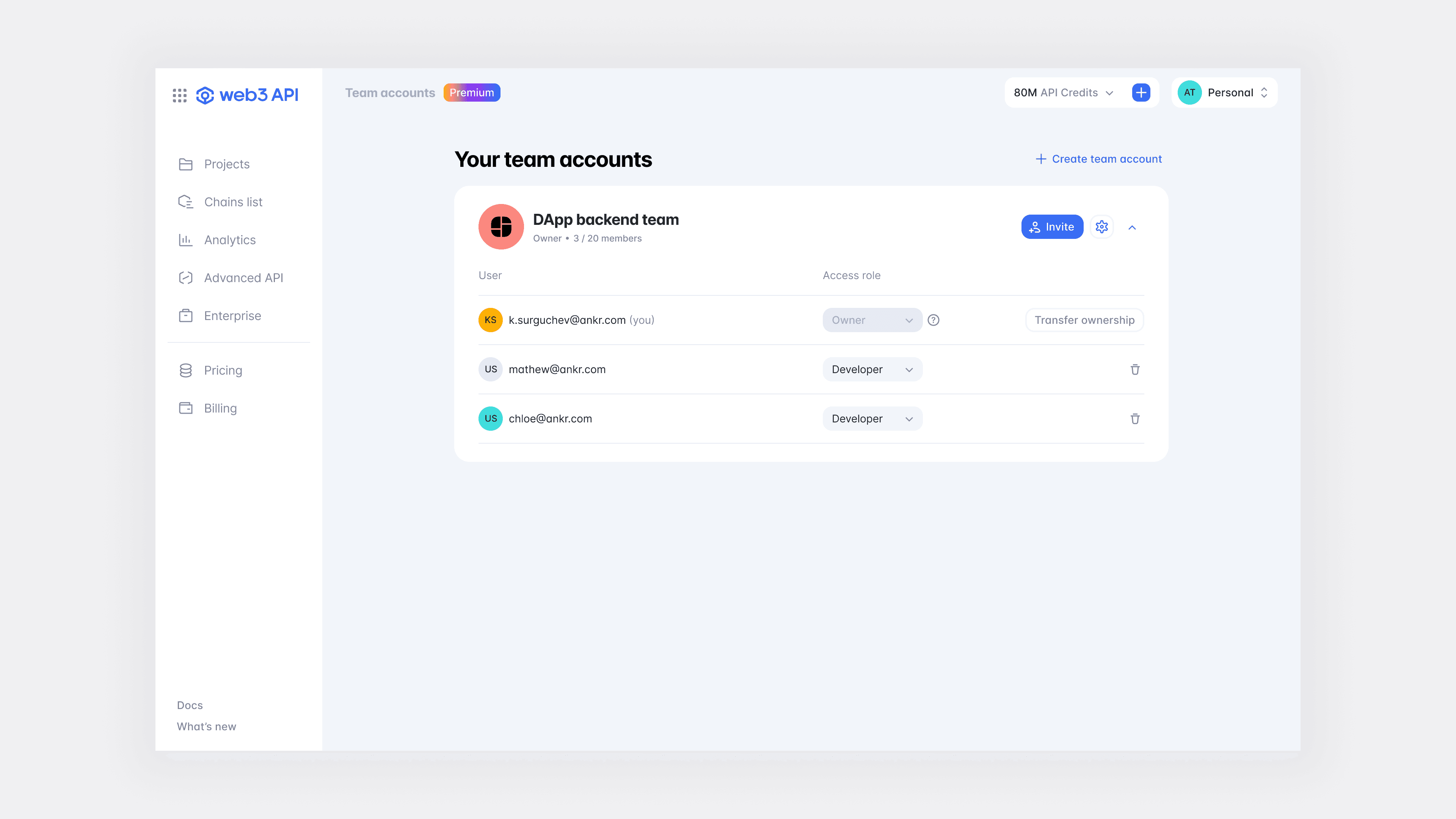
As the next logical step in evolving the web3 API dashboard functionality, the Team Management feature was introduced. It encourages collaborative work on the platform and is especially in demand by corporate clients and teams, rather than independent developers. Previously, there was no such functionality.
As the next logical step in evolving the web3 API dashboard functionality, the Team Management feature was introduced. It encourages collaborative work on the platform and is especially in demand by corporate clients and teams, rather than independent developers. Previously, there was no such functionality.
technical constraints
technical constraints
Before beginning, I set up a meeting with the development team to understand the technical constraints. We identified a critical issue: a personal account cannot be converted into a team account. This means users must create a separate entity within the platform. Current users who already have a project and currencies on their balances would need to replicate the same project structure within the new team account, which presented a significant challenge.
To overcome this, the backend team developed a ‘Assets Transfer’ functionality, enabling the migration of all projects and currencies to the newly created team account.
research
research
The Team Management feature is common across platforms. I categorized platforms into two groups: direct and indirect competitors. For direct competitors, I focused on investigating user roles and permission sets, whereas for indirect competitors, I examined team management workflows and the process of sending and revoking invitations.
Research takeaways:
Most competitors offer four distinct roles: Owner, Admin, Developer, and Finance, which align well with our needs.
By default, most competitors enable accounts that allow users to invite others into them, with no distinction between personal and team accounts.

process & result
process & result
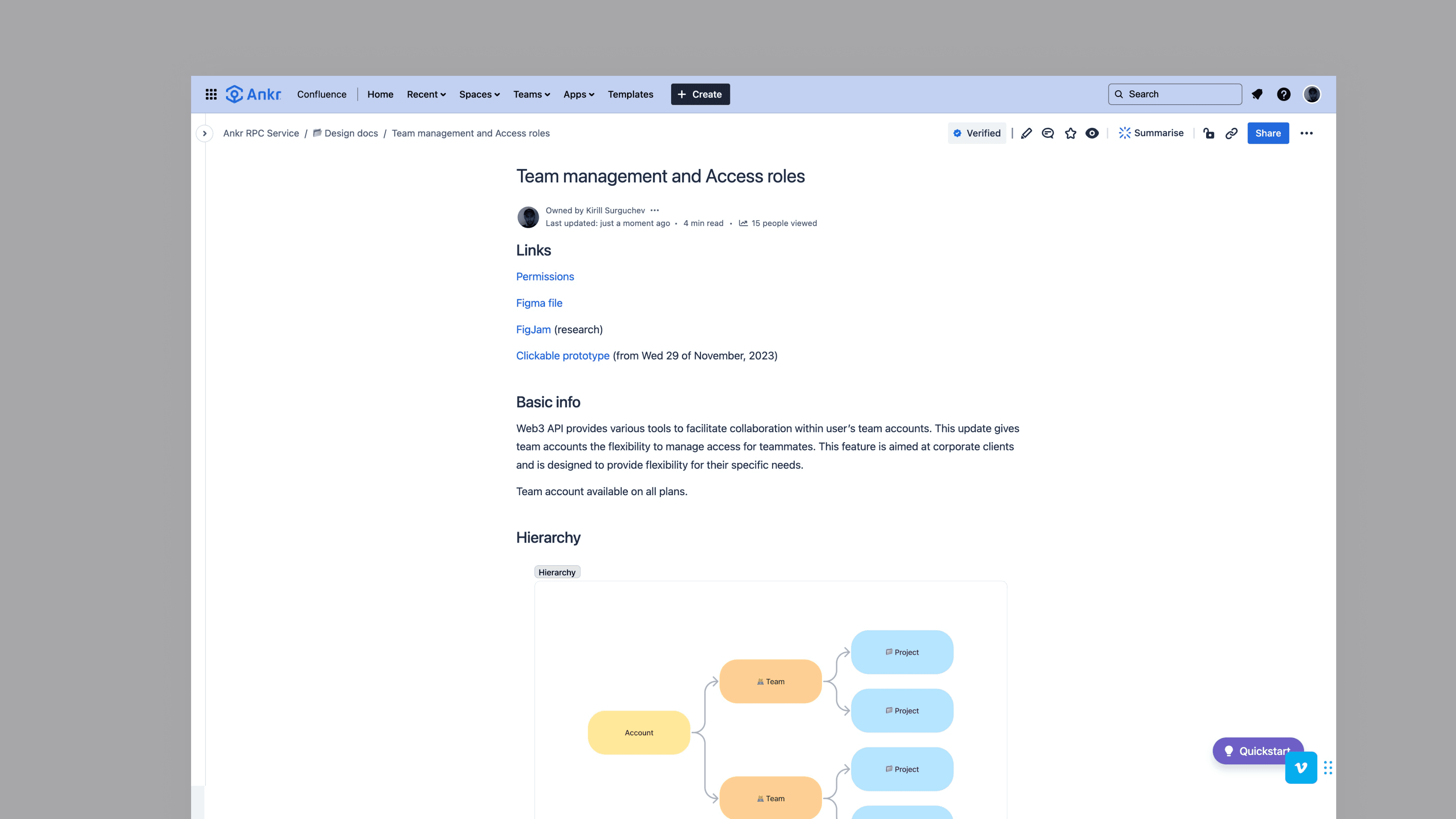
The first task I accomplished was creating a document describing roles and permission sets, followed by a meeting where it was discussed and confirmed by all parties involved.
The first task I accomplished was creating a document describing roles and permission sets, followed by a meeting where it was discussed and confirmed by all parties involved.
Testing
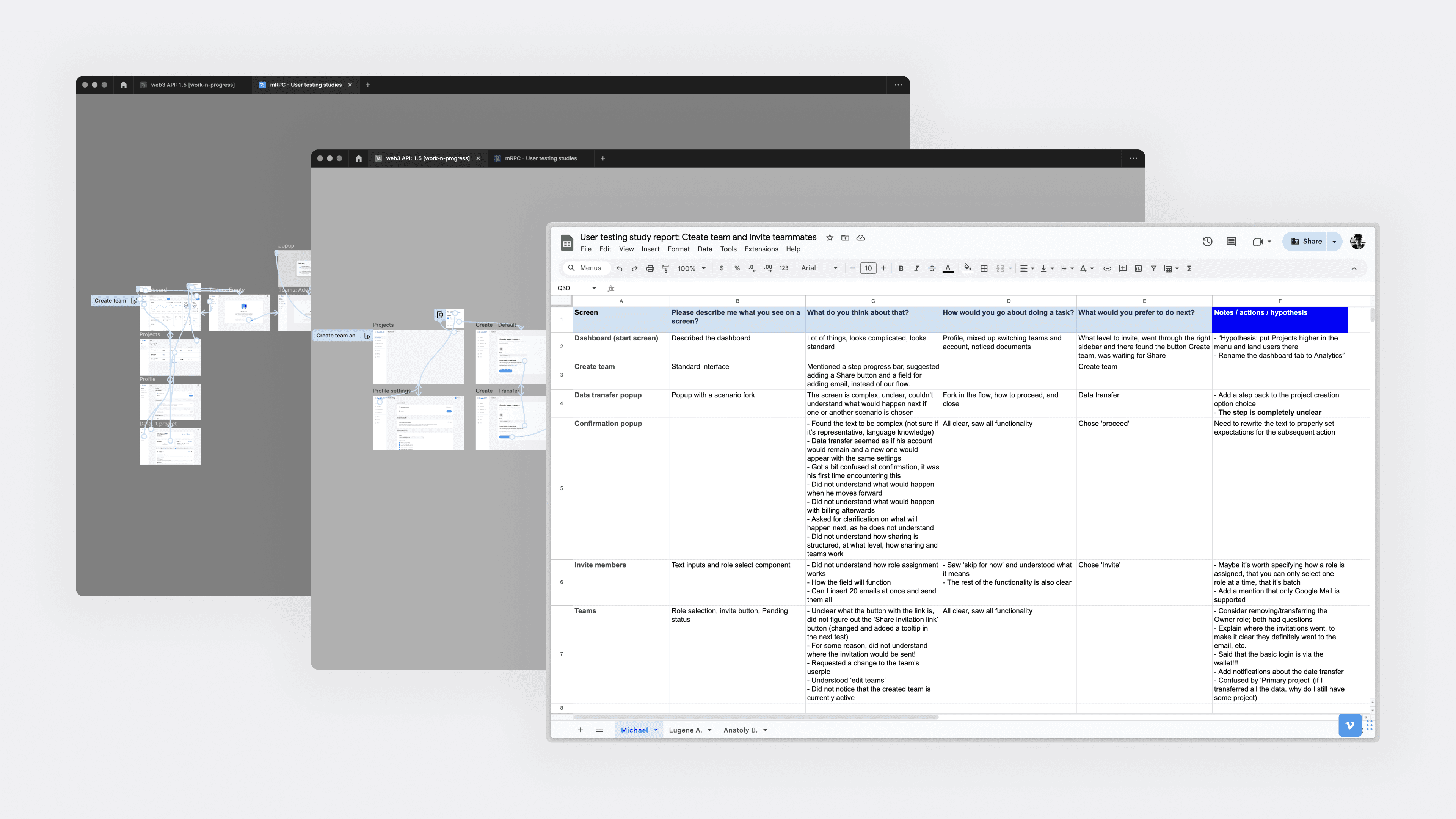
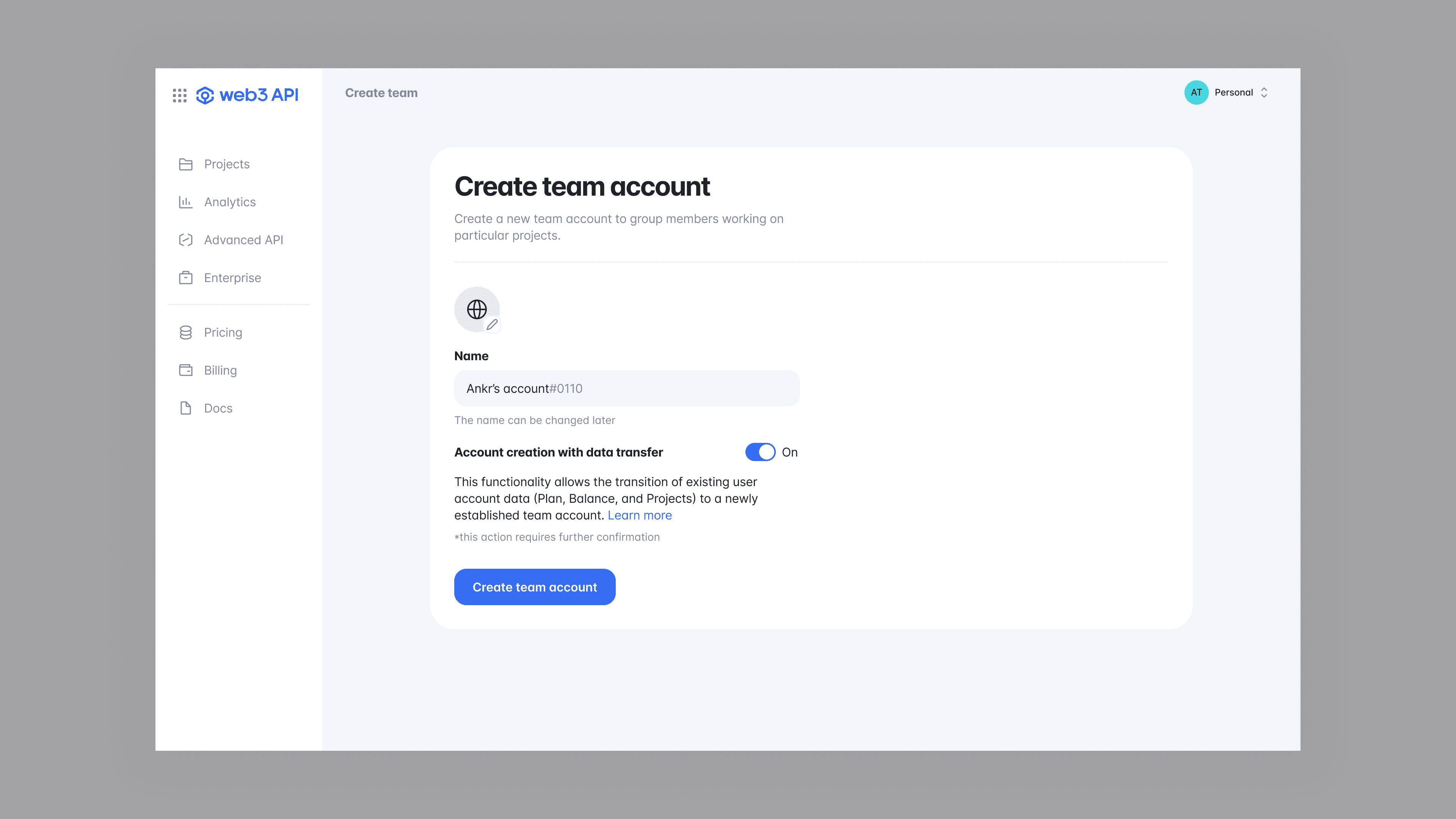
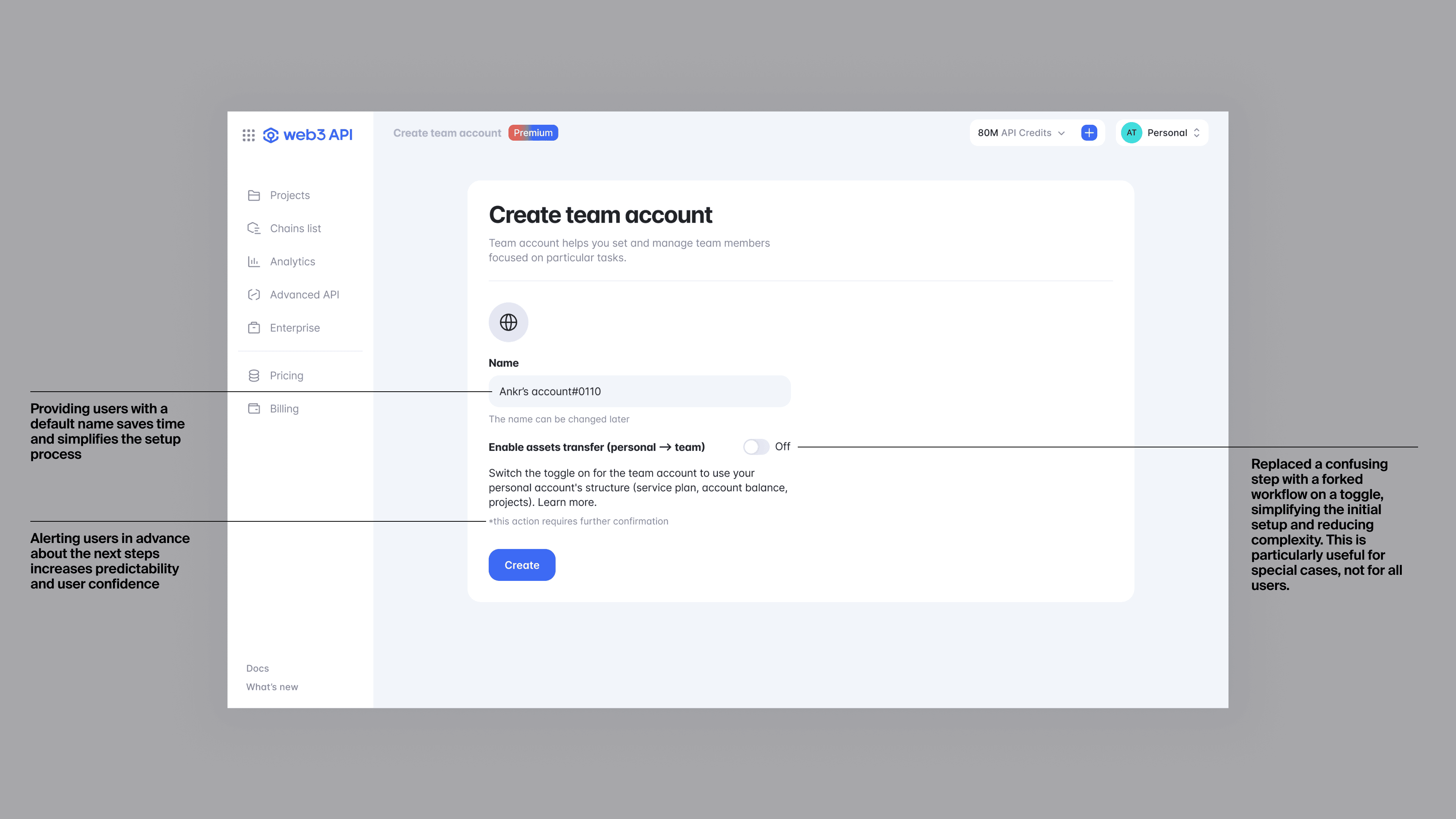
The first iteration was tested with three respondents. It revealed that the initial assets transfer feature, which acted as a fork between two flows—with or without transfer—was quite confusing for test users. After applying a different approach and making it an additional option, it worked out much better. The second user testing study with another group of three users confirmed these improvements.
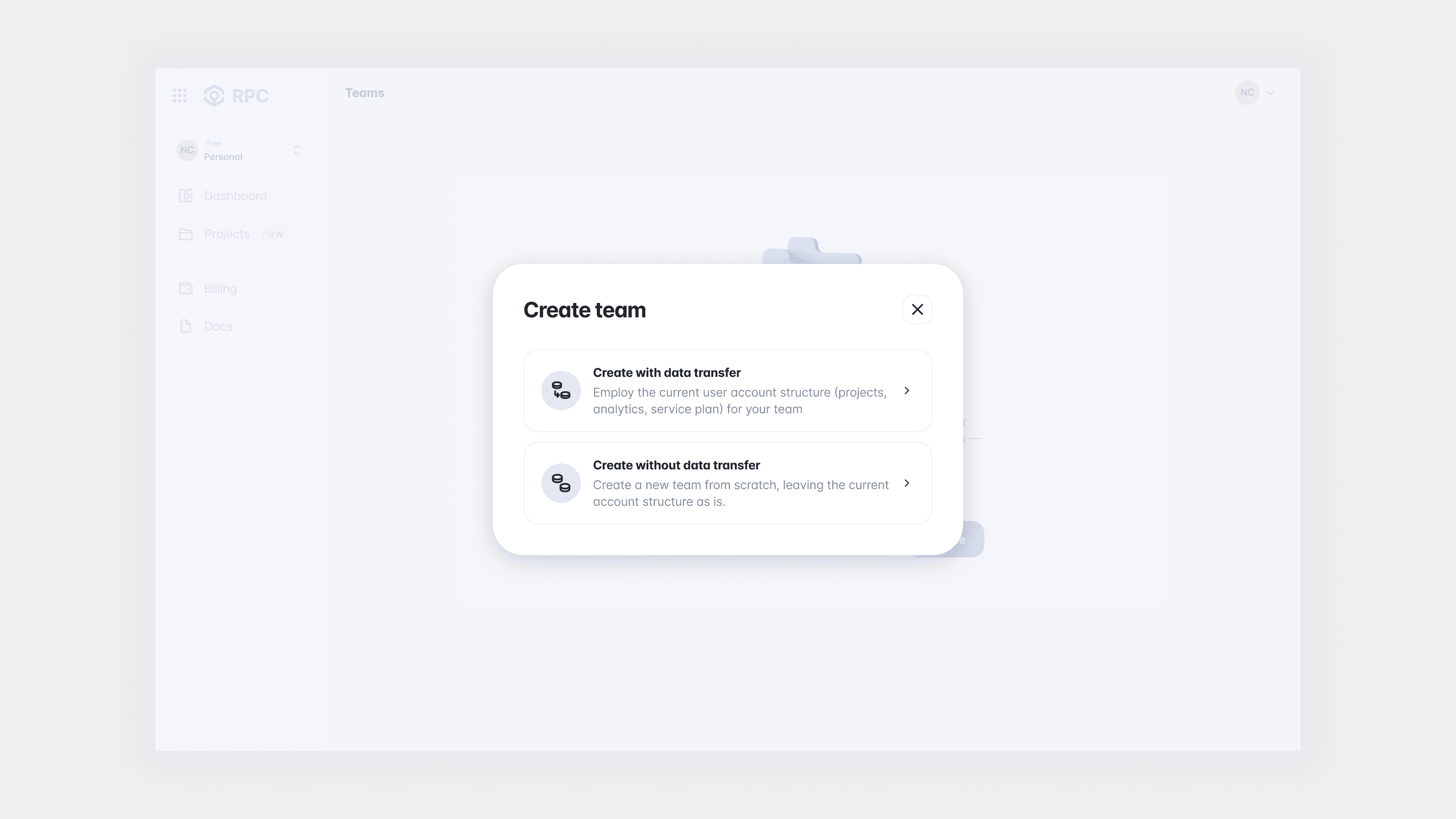
Initial forked workflow iteration showcased
Initial forked workflow iteration showcased
Second iteration: enhanced workflow
Second iteration: enhanced workflow
Setting up a team
My intention was to design a flow that allows users to set up a team as easily and quickly as possible. Essentially, if users skip editing the name and userpic, it requires just a few taps, meaning users can easily start using their team account.
Setting up a team
My intention was to design a flow that allows users to set up a team as easily and quickly as possible. Essentially, if users skip editing the name and userpic, it requires just a few taps, meaning users can easily start using their team account.
Account popover
The account popover serves as an entry point into account management. It enables users to identify the team they are currently working with and includes a button that directs them to a page where they can manage existing teams or create new ones. This design ensures that essential team management features are readily accessible and straightforward to navigate.


Invite teammates
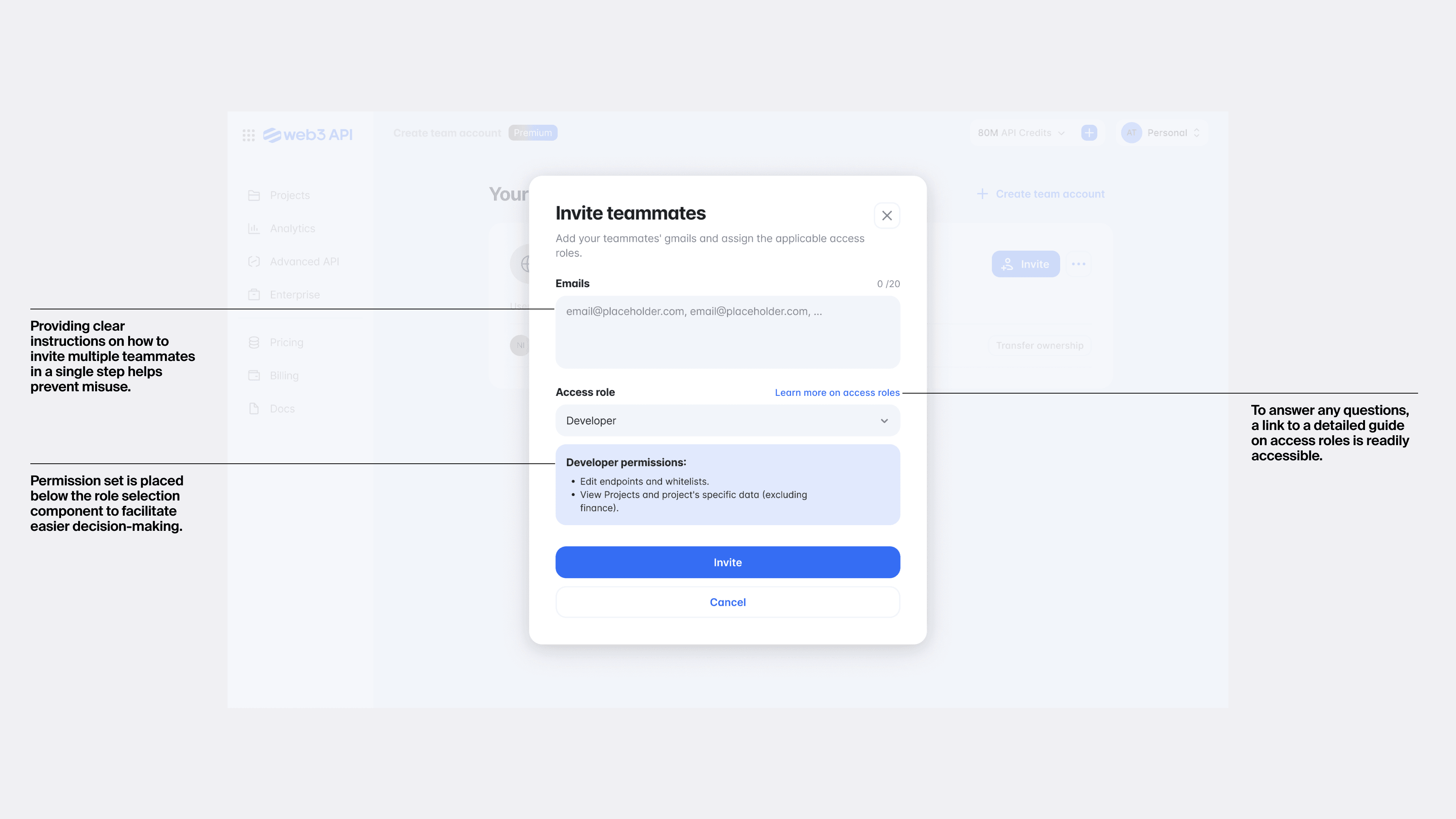
Each team can include up to 20 people. To simplify the invitation process, we’ve added batch invitation sending functionality. This allows users to invite teammates for specific roles by copying and pasting all emails.
Invite teammates
Each team can include up to 20 people. To simplify the invitation process, we’ve added batch invitation sending functionality. This allows users to invite teammates for specific roles by copying and pasting all emails.


outcomes
outcomes
Business impact
Following the launch of Team Management, the number of newly created teams grew by approximately 20% month over month, indicating sustained adoption of the new functionality.
Business impact
Following the launch of Team Management, the number of newly created teams grew by approximately 20% month over month, indicating sustained adoption of the new functionality.
+20%
+20%
Month-over-month growth in new team creation after launch
Month-over-month growth in new team creation after launch
User benefits
The new experience made collaboration more structured and secure, allowing teams to manage access and responsibilities without relying on individual accounts.
User benefits
The new experience made collaboration more structured and secure, allowing teams to manage access and responsibilities without relying on individual accounts.
learnings
learnings
Some constraints may be impossible to overcome, but there are numerous strategies to reduce their impact on the final product. This requires the engagement of all parties involved in the process. While design can address some technical issues and limitations, it remains constrained in certain aspects.
I find it more effective to initiate sync-ups myself when designing. This approach allows me to focus on tasks without the pressure of daily check-ins, ensuring that I can meet deadlines more effectively.
